

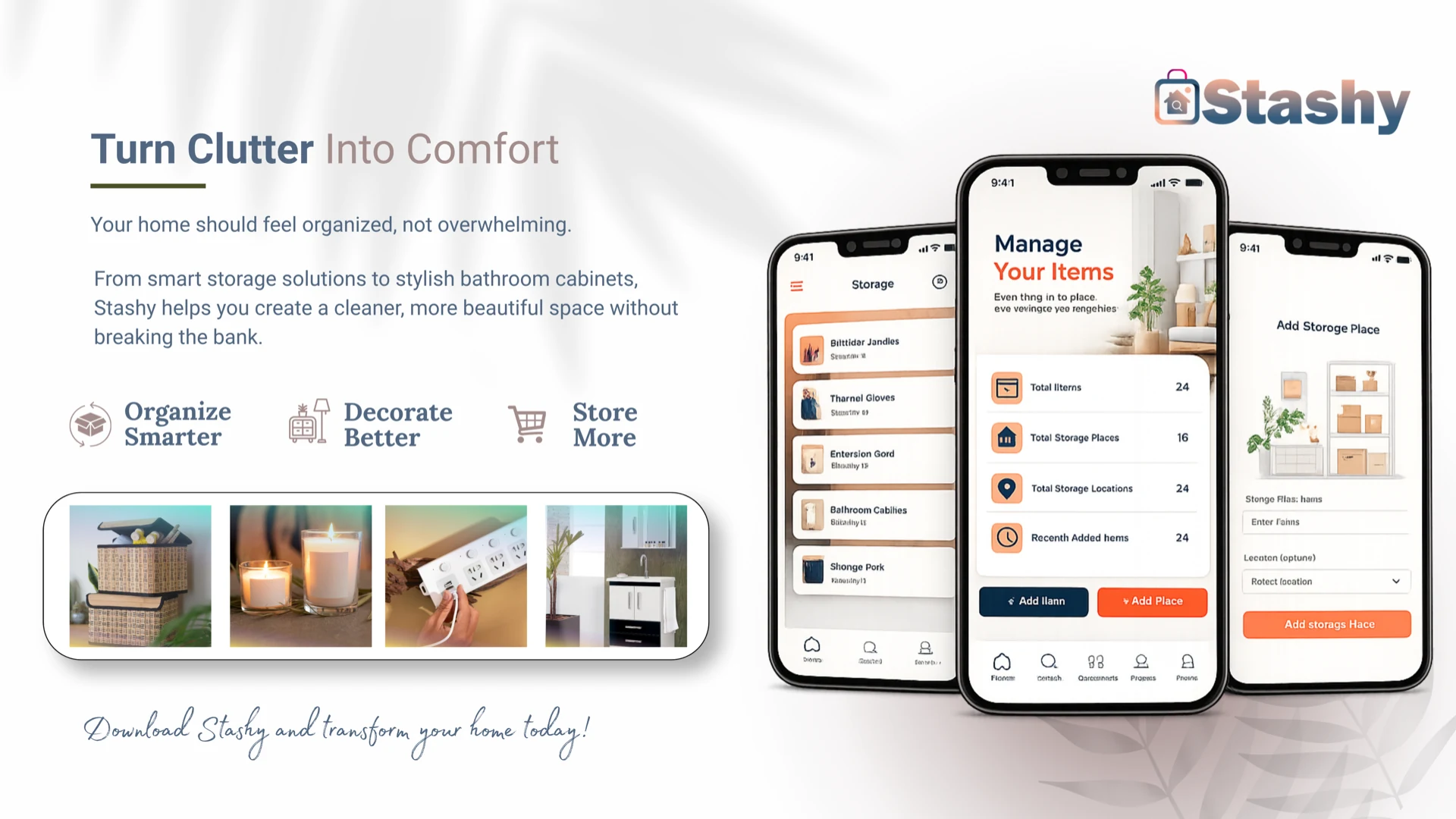
Client:
Stashy Product Team
Industry:
Consumer · Home Organization
Deliverables:
iOS & Android mobile app · Firebase backend · In-app subscriptions · Onboarding & auth flows
Tech Stack:
Flutter · Firebase · RevenueCat
What we’ve accomplished together
Households lose time and money when everyday items are scattered across closets, garages, and pantries with no shared record of what is stored where. The Stashy team set out to replace that chaos with a mobile-first inventory system shaped around how people actually live—custom places, named locations, and quick answers when someone asks, “Do we still have batteries?” Triaxo partnered with them to turn that vision into a production-ready app on iOS and Android.
To make that vision real, the platform had to deliver:
Custom storage places and locations mapped to real home layouts
Item tracking with photos, quantities, minimum thresholds, and notes
Instant search across all stored items with place and location context
Automatic grocery lists when item quantity falls at or below minimum
Secure accounts with social login, cloud sync, and premium subscriptions
“From chaos to clarity—Stashy gives every household one organized place to find items, avoid duplicate purchases, and stay on top of low stock without spreadsheets or guesswork.”
Project Overview
Flutter Mobile App → Firebase Authentication → Cloud Firestore & Firebase Storage → RevenueCat (In-App Purchases)
Triaxo Solutions architected Stashy as a native-feeling Flutter application for iOS and Android, backed entirely by Firebase. User accounts are managed through Firebase Authentication with email/password, Google Sign-In, and Sign in with Apple. Inventory data lives in Cloud Firestore across four core collections—users, places, locations, and items—structured in a three-level hierarchy that mirrors how households think about storage: a place (such as a home or apartment), locations within it (kitchen pantry, garage shelf), and individual items with metadata.
The mobile experience is organized around a four-tab bottom navigation shell—Home, Search, Storage, and Profile—with a slide-out drawer for grocery list access, logout, and account deletion. The Home screen surfaces live dashboard metrics including total items, storage places, storage locations, and recently added items, with quick actions to add items or create new places. The Storage tab presents places in a swipeable carousel; each place card lists its locations with slidable edit and delete actions, optional location photos uploaded to Firebase Storage, and drill-down into item lists per location.
Beyond cataloging, Stashy actively supports restocking workflows. Each item supports a minimum quantity threshold; when current quantity meets or falls below that minimum, the item automatically appears on the Grocery List screen. Search uses Firestore prefix queries on a normalized name_lower field and enriches results with place and location names so users can find “batteries in the garage” in seconds. Onboarding captures six pages of household context—living situation, co-users, item types, rooms to organize, current organization level, and desired value—and persists responses to Firestore to personalize the first-run experience.
Monetization is handled through RevenueCat (purchases_flutter), integrated at app launch with user-scoped login and entitlement checks for “Pro Access.” Premium upgrade flows appear on the Profile screen and a dedicated subscription screen, with monthly and yearly packages loaded dynamically from RevenueCat offerings. Profile management includes photo upload, member invite UI, privacy policy and terms links, and full account deletion with Firebase re-authentication when required.
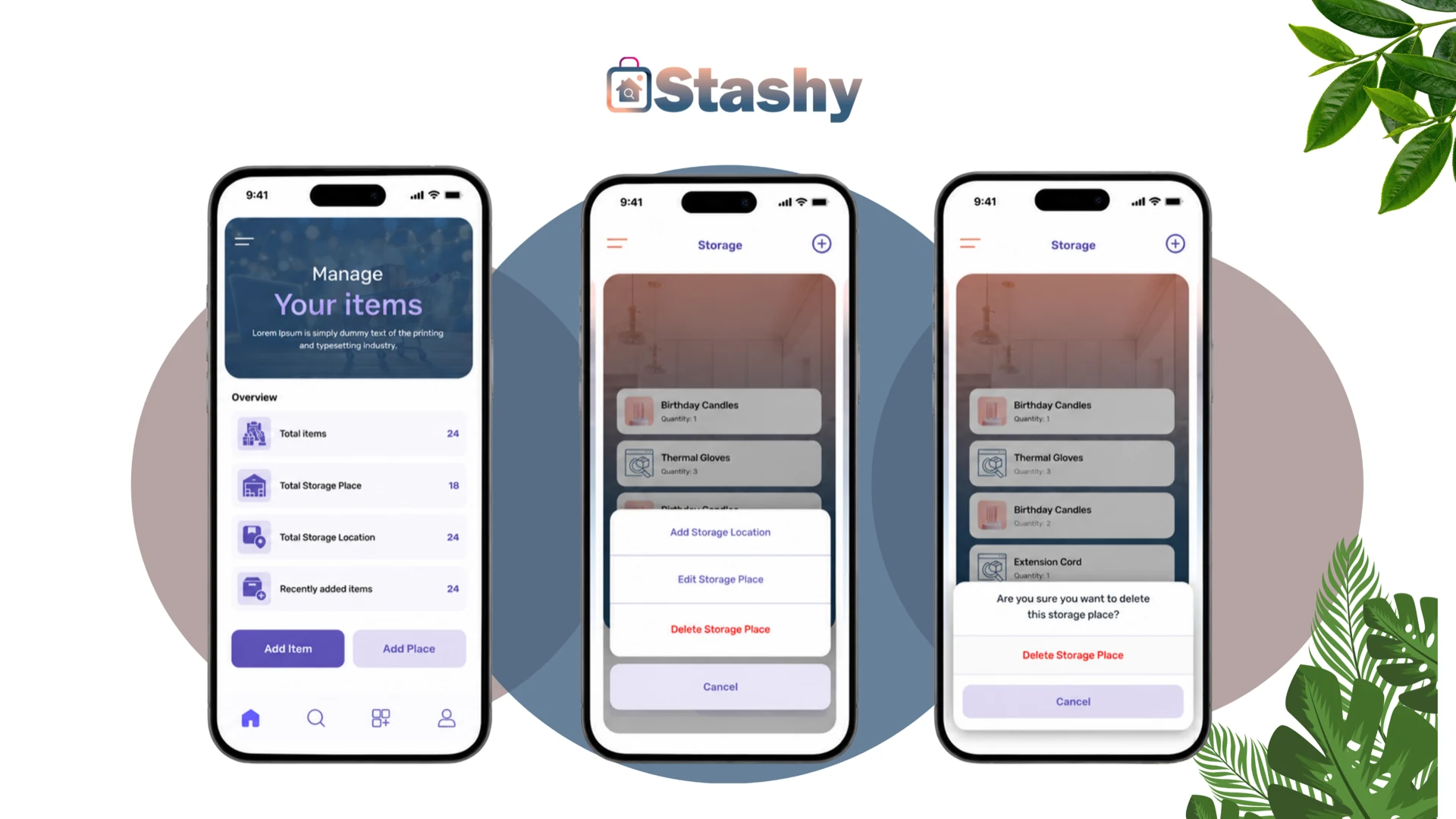
Mobile App — Organize every corner of the home
Stashy’s mobile interface is built around a clear hierarchy: places, locations within those places, and items assigned to each location. Users create storage places from the Home or Storage screens, add named locations with optional photos, and populate them with items that include name, quantity, minimum quantity, notes, and an optional image.
The Home dashboard gives an at-a-glance overview of inventory health—total items, places, locations, and items added this week—so households always know the scope of what they have cataloged. Slidable location rows, carousel navigation between places, and confirmation dialogs on destructive actions keep day-to-day management fast without accidental data loss.
Search, item detail views, and edit flows are reachable from every major tab. Users can update quantities after a shopping trip, attach photos for visual identification, and delete items or entire place hierarchies in batch when reorganizing. A guided onboarding questionnaire tailors the first experience to each household’s living situation and organization goals.
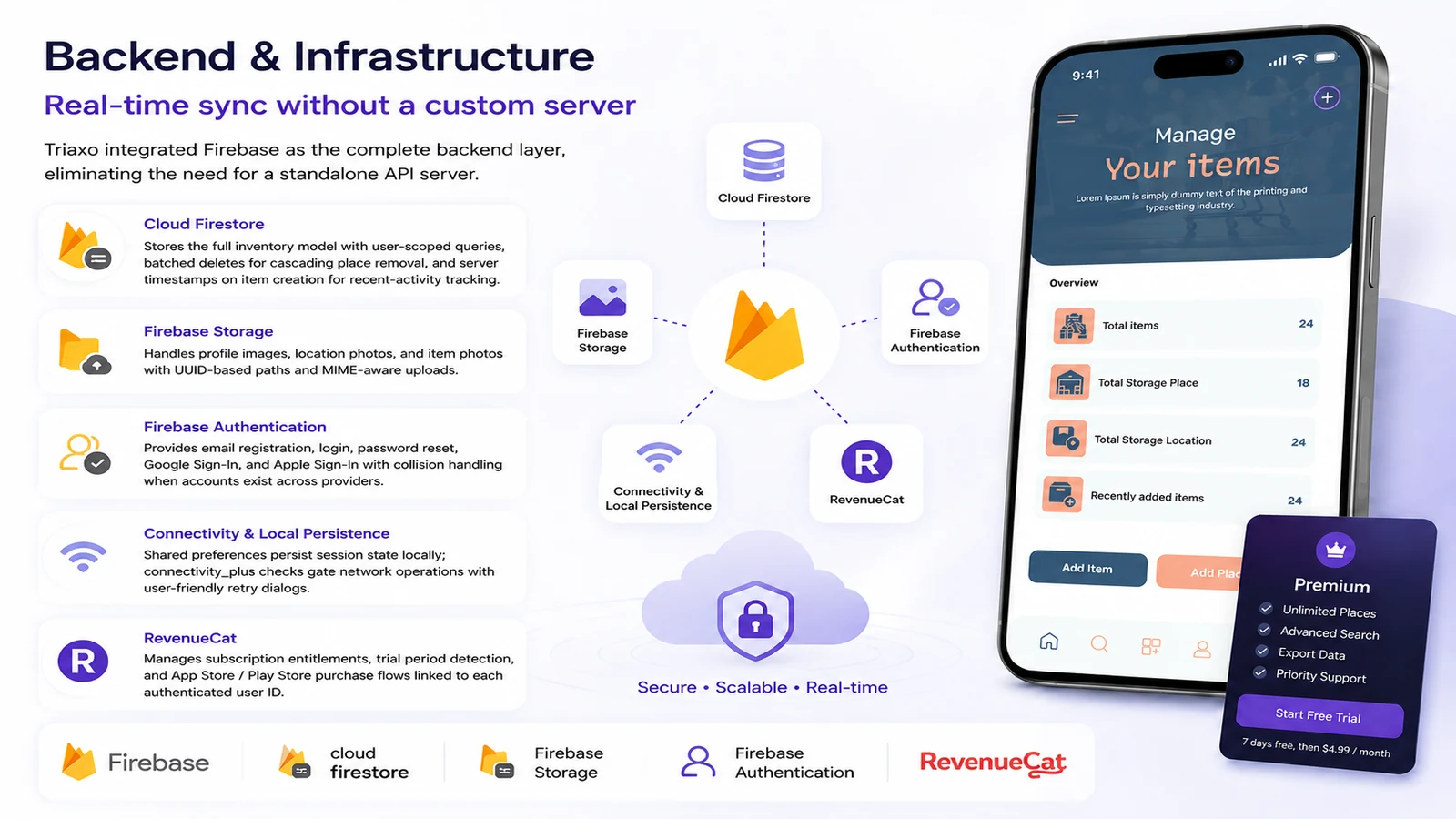
Backend & Infrastructure — Real-time sync without a custom server
Triaxo integrated Firebase as the complete backend layer, eliminating the need for a standalone API server. Cloud Firestore stores the full inventory model with user-scoped queries, batched deletes for cascading place removal, and server timestamps on item creation for recent-activity tracking. Firebase Storage handles profile images, location photos, and item photos with UUID-based paths and MIME-aware uploads.
Firebase Authentication provides email registration, login, password reset, Google Sign-In, and Apple Sign-In with collision handling when accounts exist across providers. Shared preferences persist session state locally; connectivity checks via connectivity_plus gate network operations with user-friendly retry dialogs. RevenueCat manages subscription entitlements, trial period detection, and App Store / Play Store purchase flows linked to each authenticated user ID.
Technology Stack
| Layer | Technologies |
|---|---|
| Mobile Framework | Flutter (Dart SDK ^3.5.3), iOS & Android |
| State Management | flutter_bloc (BLoC / Cubit pattern), Equatable |
| Authentication | Firebase Auth, Google Sign-In, Sign in with Apple |
| Database | Cloud Firestore (users, places, locations, items, onboarding_data) |
| File Storage | Firebase Storage |
| Subscriptions | RevenueCat (purchases_flutter), App Store & Google Play IAP |
| Media & Device | image_picker, permission_handler, cached_network_image |
| Networking | connectivity_plus, shared_preferences |
| UI & Typography | Material Design, Rubik font family, flutter_slidable, salomon_bottom_bar |
Why Triaxo Solutions
Triaxo Solutions brought deep Flutter and Firebase expertise to Stashy—from hierarchical Firestore data modeling and cascading deletes to RevenueCat subscription gating and cross-platform social authentication. The result is a polished, store-ready inventory app built on a scalable serverless backend, delivered without the overhead of custom API infrastructure.
“One app. Every item. Every shelf. Found.”
Frequently Asked Questions
Have questions about this project? Reach out—Triaxo Solutions is happy to discuss how we can help with yours.
Planning a similar mobile app?
We scope Flutter and Firebase mobile products end to end.
Fixed price model
A defined release—MVP, integration, or migration—with scope, timeline, and budget locked before build starts.
- Scope, milestones, and delivery dates agreed upfront
- Ideal when requirements are well defined
- Predictable budget with change-control for scope shifts
- Weekly demos and a working release at handover
Dedicated squad model
A Triaxo team embedded in your engineering org: your board, your channels, demos on your cadence.
- Embedded squad in your tools, rituals, and roadmap
- Preferred for longer engagements and product evolution
- Scales up or down as priorities change
- Senior PM, engineers, and QA on one team
- Best when you have a clear vision and need capacity
Hybrid & on-site model
Remote-first delivery plus on-site discovery, launch support, or co-located sprints when proximity matters.
- Blend of remote delivery with on-site workshops or sprints
- Helps hit deadlines with tight stakeholder alignment
- Cost-effective when you need periodic face-to-face collaboration
- Suited to regulated, enterprise, or multi-site rollouts

Tell us about your product
Share goals, timelines, and constraints—we'll respond with next steps and a suggested workshop.
Ready to scope your next release or refactor? Share your project brief